What to do when event capacity falls after tickets sell
A room change, revised layout or new venue instruction can reduce the number of people an event can safely admit after orders have been placed. Changing a ticketing dashboard is only one step: it does not remove existing tickets or decide what happens to affected buyers. Use this incident worksheet to separate a verified capacity decision from the inventory count and the attendee response.
Boletolibre editorial team
Published
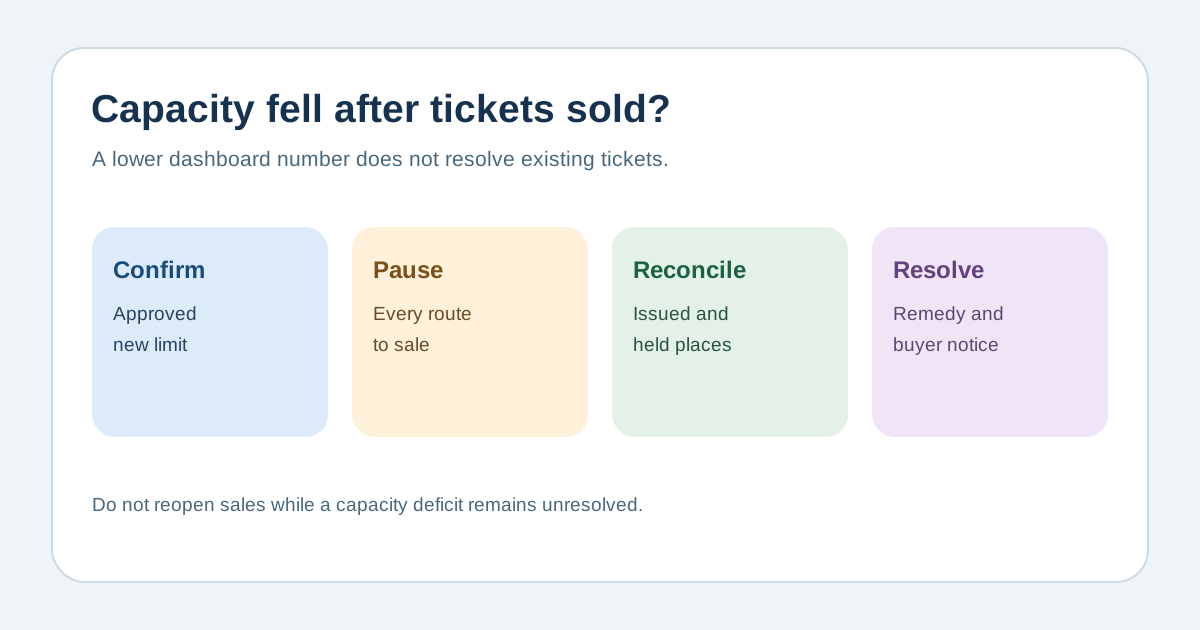
Confirm the new limit and pause every route to sale
Download the editable capacity-reduction response worksheet (Markdown, English)
Get the revised, date- and zone-specific limit from the venue or competent safety lead, including whether staff, performers, complimentary admissions and accessibility arrangements use parts of that limit. Do not calculate a new safe capacity from a generic formula. Temporarily stop sales in the official checkout, box office, partner channels and manual issue routes while the team establishes one authoritative count. Record who approved the new limit, when it takes effect and which layout or restriction changed. A lower ticket-type quantity alone may leave another sales route open.[3][2]
Reconcile obligations before editing inventory
Export or record issued admissions by date, time slot, seat or zone; include paid, complimentary and manually issued tickets. Separately list active holds, pending orders and partner allocations not yet reported as issued. Avoid double counting a partner allocation after its tickets have been issued. Compare each affected pool to the approved sellable amount and identify any deficit. Ticket Tailor documents that a recurring occurrence can be marked “oversold” after its capacity is lowered; the system warning is evidence of an unresolved issue, not a remedy. Check how your own platform applies edits to recurring instances.[1][2]
Choose a remedy with the right owners
If commitments exceed the revised limit, escalate to the venue/safety lead, ticketing operator and qualified local legal or consumer adviser before selecting an option. Possibilities may include an independently approved layout or extra performance, voluntary transfer, rebooking, cancellation and refund, but each depends on the event, contracts, accessibility needs and local rules. Do not assume expected no-shows create usable capacity or let staff override the entrance limit. Document a consistent decision process without publishing or collecting unnecessary buyer details in the worksheet.[1][3]
Communicate, update and verify
Once an option is approved, notify affected purchasers directly with the factual change, their options, a response route and a date for the next update. Coordinate order changes, refunds or transfers in the ticketing system; verify the final entitlement and door list before reopening any remaining stock. Align the event page, confirmation messages, venue team and support desk. Keep a record of approvals, count reports and completed buyer actions. Recheck the count after late partner reports or pending orders settle, and do not describe the situation as resolved while a deficit remains.[1][2]
Sources and further reading
- Can I reduce my occurrence capacity even if I have sold tickets?Ticket Tailor Help Centre · Accessed
- Change your event capacityEventbrite Help Center · Accessed
- Venue and site designUK Health and Safety Executive · Accessed