Why are my event tickets not on sale? A buyer-view troubleshooting guide
A published event can still show no purchasable ticket. Start with the exact message a buyer sees, then check the settings that could produce it. Status wording and controls vary by platform; the message is a clue, not proof of the cause.
Boletolibre editorial team
Published
Capture the buyer-side failure
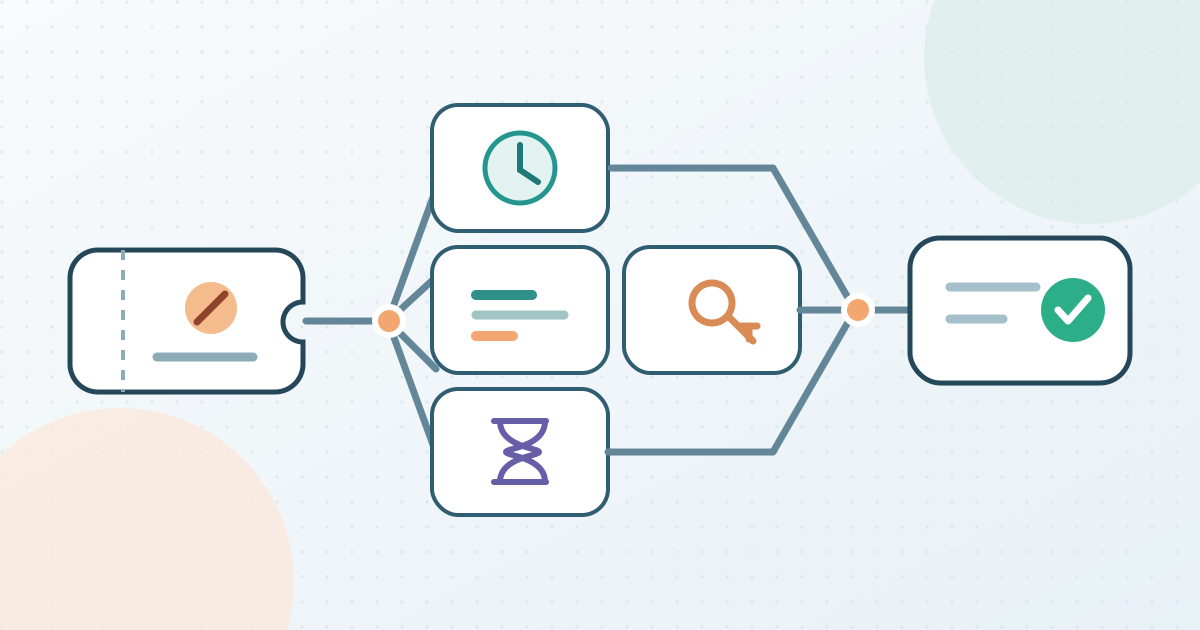
Open the public event link signed out, for the intended date or occurrence, and record the exact ticket name and message. Is the ticket absent, visible but unavailable, shown as sold out, marked as not open yet, or marked as ended? Try the same quantity and access code, if any, that the buyer is using. Check whether a different ticket type on the event remains purchasable. That separates a type-specific setting from an event-wide limit.
Write down the expected offer before changing anything: ticket type, sales period, channel, access condition, approved quantity, and who may authorize a change. Do not infer a remaining seat count from an organizer dashboard alone; the public buyer view may also be constrained by another setting. Keep a screenshot or short observation log without personal buyer details.
If sales have not opened or have ended, check the ticket's dates
Compare the ticket's configured sales start and end with the event date and the platform's displayed time zone. A published event does not mean each ticket type is currently in its sale window. Eventbrite's help article treats future start and passed end dates as separate reasons a ticket cannot be selected. Humanitix also documents ticket-type start and end dates as a cause of an unavailable ticket.[1][2]
Check every affected type, not just the first one. If the scheduled window is intentional, leave it in place and correct any misleading buyer message elsewhere. If the date is wrong, have the sale owner approve the intended window, update that type in its own settings, save, and verify the public page again. Do not assume that changing the event date automatically changes ticket sale dates.[1][2]
If it says sold out, trace every relevant limit
Compare sold tickets with the affected type's quantity and the event-wide capacity. These are distinct limits in Eventbrite and Humanitix: a type can run out while the event still has room, and an event limit can stop types that appear to have their own stock. On Eventbrite, ticket holds also reduce available inventory. Its minimum-per-order setting can make a ticket look sold out when fewer tickets remain than one order must contain. Check those values before treating a sold-out label as a counting error.[1][2]
If your platform has an additional group or section limit, include it in the comparison. Humanitix documents grouped capacity as another ceiling that can override ticket-type quantities. Record the exact limit reached and the reason for it. Increasing a number is only appropriate after the responsible owner confirms that more inventory is genuinely approved; the diagnosis itself does not authorize extra seats or tickets. If a hold is intentional, use the platform's hold workflow rather than silently releasing it.[1][2]
If stock exists, inspect manual state and access
A manual sales stop or sold-out override can explain a mismatch between the count and the buyer page. Humanitix documents both event-level stopped sales and a ticket-type sold-out override, including the possibility that an old state carried into a duplicated event. Eventbrite documents a manually changed event status among its sold-out checks. Compare the current state with the intended sale plan before removing an override; it may have been set deliberately.[1][2]
Next inspect visibility and eligibility. Eventbrite says a hidden ticket type does not appear on its event listing and an 'At the door only' ticket is not offered online. Humanitix documents an access-code quantity limit that can make a revealed hidden ticket show sold out. An absent type, a type visible only with a code, and a displayed unavailable type are different observations. Check the exact buyer route and any code or channel restriction rather than making all tickets public to see whether the symptom disappears.[1][2]
Check temporary reservations and waitlist state
Near a sellout, an in-progress checkout may temporarily reserve inventory. Both Eventbrite and Humanitix describe pending tickets affecting buyer availability on their platforms. Check the provider's current order or pending count before changing a quantity. Do not promise when a ticket will reappear or assume that every abandoned checkout has the same timeout. If availability changes after the pending order resolves, capture the outcome and leave approved limits intact.[1][2]
On Humanitix, an already triggered waitlist can keep new visitors on the waitlist even when tickets later become available; its help page also documents a specific route for offering tickets or putting them back on sale. This is a Humanitix-specific choice, not a universal waitlist rule. Decide with the waitlist owner whether an offer or public release is intended before changing that state. Check any linked access-code limit separately.[2]
Correct one cause, then recheck the buyer view
Record the diagnosed cause, approved action and person responsible. Change only the relevant ticket, event, group, channel or waitlist setting. Save it, reopen the public page signed out, and repeat the same date, ticket, quantity and code path that failed. Record the before-and-after message and whether the intended purchase path now works. A dashboard count alone is not a buyer-side verification.
If the symptom remains, return to the diagnostic list rather than widening capacity or visibility by guesswork. Escalate an unresolved mismatch to the platform's support team with the event identifier, affected ticket type, time of observation and non-personal screenshots. Assign one owner to close the issue and confirm that unrelated ticket types and authorized restrictions still behave as expected. If the event is also shared on Boletolibre.com, repeat the signed-out ticket path from that public page.
Download the ticket-availability diagnostic log (Markdown, English)
Sources and further reading
- What to do when tickets aren't on saleEventbrite Help Center · Accessed
- Why is my event / ticket appearing as sold out or unavailable?Humanitix Help Centre · Accessed