Free RSVP vs paid tickets: choose the right event registration flow
Free RSVP and paid tickets both put a name on an event list, but they create different promises and different work for the organizer. A free RSVP is an expression of intent to attend; a paid ticket adds a purchase, price disclosure, payment result and refund or cancellation support. Neither automatically guarantees a full room. The first organic result for this query offers a broad decision guide. This guide turns the choice into an operational test you can use before you publish registration.
Boletolibre editorial team
Published
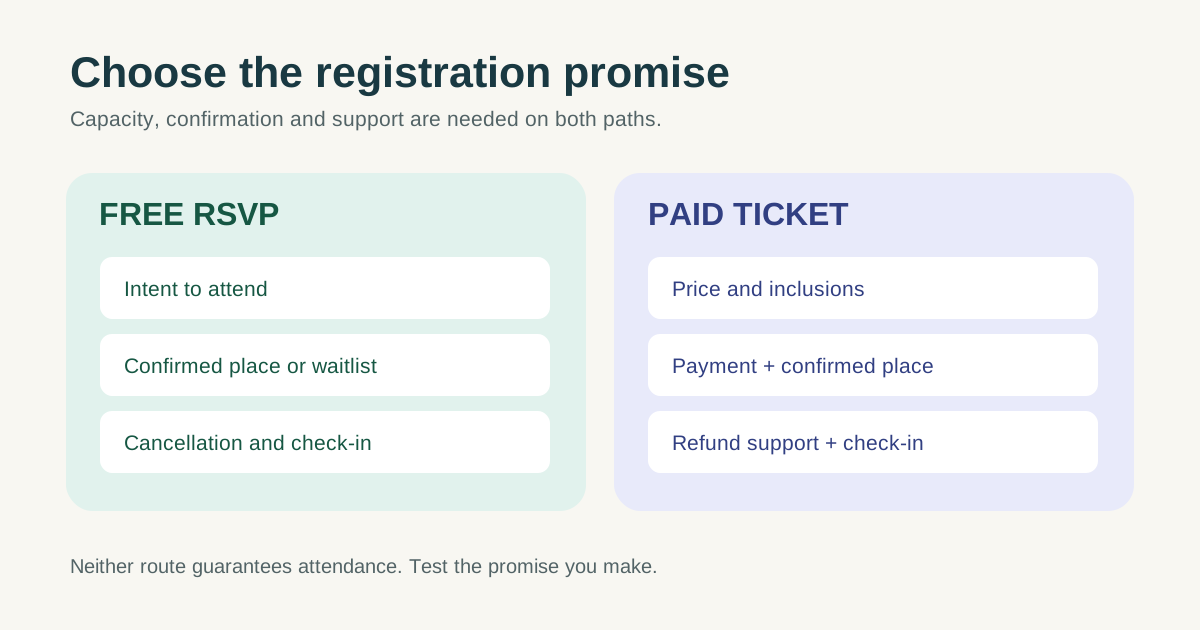
Compare what each registration model must do
Start with the event purpose, who can attend, the true capacity and how much each attendee costs to serve. If you are learning whether a community format works and can fund the event without attendee payments, a free RSVP keeps the request simple. If each seat carries meaningful materials, venue or staff cost, a paid ticket can support cost recovery. The decision is specific to this event, not a maturity ladder: a free public workshop may remain free, and a prepared small-group class may be paid from its first run.
| Decision | Free RSVP | Paid ticket |
|---|---|---|
| Attendee commitment | Intention to attend, with no checkout payment | Purchase plus attendance intention; no attendance guarantee |
| Organizer cash flow | Funding comes from elsewhere | Ticket proceeds may fund delivery; check payout timing |
| Capacity | Reserve or waitlist places and release unused holds | Connect ticket inventory to real capacity |
| Confirmation | Explain whether RSVP is confirmed, pending or waitlisted | State purchase status, inclusions and admission details |
| Changes | Handle cancellation and replacement from waitlist | Also handle refund, transfer and payment status |
Eventbrite, for example, documents free, paid and donation ticket types. Its setup can also include quantity and capacity settings. Those are product-specific capabilities; confirm the exact workflow and current terms in whichever system you choose.[2]
Write the promise before opening registration
For free RSVP, say whether a submitted form guarantees a place, whether there is a waitlist and when the attendee must release an unused place. For paid tickets, state what the price includes, the final amount the buyer will see, when the ticket is valid and how cancellation or refunds are handled. If legal or platform rules apply in your market, have the actual policy checked locally. Do not copy a generic “no refunds” phrase.
A payment is not a substitute for clear logistics. Both routes need date, time zone, venue or joining details, accessibility information and a way to ask for help. W3C’s forms guidance recommends clear labels and collecting only information needed for the task; a free signup should not become an unnecessarily long application.[4]
- Show the actual capacity rule: first confirmed, approval-based, or waitlist.
- Tell the guest what arrives after submission or purchase and who to contact if it does not.
- Make a paid buyer’s inclusions, price and applicable cancellation process visible before checkout.
Download the free-or-paid decision worksheet
The editable worksheet compares the two options against your event’s purpose, fixed and per-attendee costs, funding source, capacity, arrival plan, cancellation workload and support owner. Fill it out with actual numbers and people. It is a decision record, not a universal formula or legal policy.
Download the free RSVP vs paid tickets decision worksheet (Markdown)
If a free event is over-subscribed, do not assume charging is the only fix. Consider a smaller confirmed cap, a waitlist, a reconfirmation request or releasing places that attendees decline. If a paid event is under-subscribed, lowering the price may not solve unclear value or inconvenient timing. Those are hypotheses to test, not guaranteed outcomes.
Test both the happy path and the changes
Create a test registration and read every message as an attendee. For free RSVP, verify the confirmed, full and cancellation states. For paid tickets, verify a successful purchase, a failed or pending payment, what staff see at check-in and who responds to a refund request. Eventbrite’s refund guidance shows that its organizer has product-specific responsibilities and policy constraints; another provider or direct sale may differ. Check the actual contract and local obligations rather than transplanting its rules.[3]
After launch, compare registrations, confirmed places, arrivals and support requests. These observations tell you whether the chosen flow is working. A higher price or extra form field should not be justified by an unverified claim about no-show rates.
Sources and further reading
- Free RSVP vs Paid Tickets: How to ChooseHereNow.events · Accessed
- Create and edit ticket typesEventbrite Help Centre · Accessed
- Understanding ticket refunds on EventbriteEventbrite Help Center · Accessed
- Forms TutorialW3C Web Accessibility Initiative · Accessed